
AI integration has moved beyond “ask a question, get an answer.” When AI tools are connected to real business systems, they stop acting as passive advisors and start acting as operators. That change creates opportunity, but it also introduces a risk most organizations do not plan for: giving AI access without the right guardrails.
This article explains why AI has effectively been working “blind” in many companies, what “integration” actually means in practical terms, and how to manage the new security and control challenges that come with giving AI the ability to act inside your tools.

Why AI feels “smart” but still cannot help as you expect
For the past year, many teams have used ChatGPT or similar AI tools to draft messages, summarize content, analyze data, and generate ideas. The limitation is not that the model is weak. The limitation is that it often lacks direct, reliable access to the business context that would make its work accurate and relevant.
Common blind spots include: AI Integration: Don’t Let Your AI Work Blind
- No view of client information (customer records, history, preferences, ongoing cases).
- No access to your sales data (revenue by period, pipeline status, pricing rules).
- No connection to internal documents (policies, SOPs, product catalogs, terms).
- No awareness of your calendar and commitments (what is scheduled, when meetings exist, what should be booked).
In other words, even if you provide AI with some documents, the setup frequently remains manual and incomplete. The AI does not automatically know what is current, what matters most, or what is allowed to be changed.
The office keys analogy: from homework helper to real operator
A helpful way to understand the shift is to imagine an AI employee that is brilliant, fast, and able to reason. But for a long time, you never gave it the keys to the office. It can work on whatever you hand to it, but it cannot open the filing cabinet or check what is happening across the company.
When AI is integrated, it effectively receives keys to those systems. Instead of relying on you to deliver information one document at a time, AI can request and retrieve information as needed and then act inside workflows.
Integration can enable AI to do tasks like:
- Check email for client complaints and extract relevant context.
- Pull numbers from spreadsheets (such as last month’s sales figures) to support analysis.
- Look at a calendar and schedule meetings or propose times.
- Draft responses using the client’s actual history and existing business logic.

The core implication is simple: the meaningful shift is not only “better answers.” It is AI working inside your business tools, which changes both what AI can do and how you must manage it.
Three things business leaders must know about AI integration
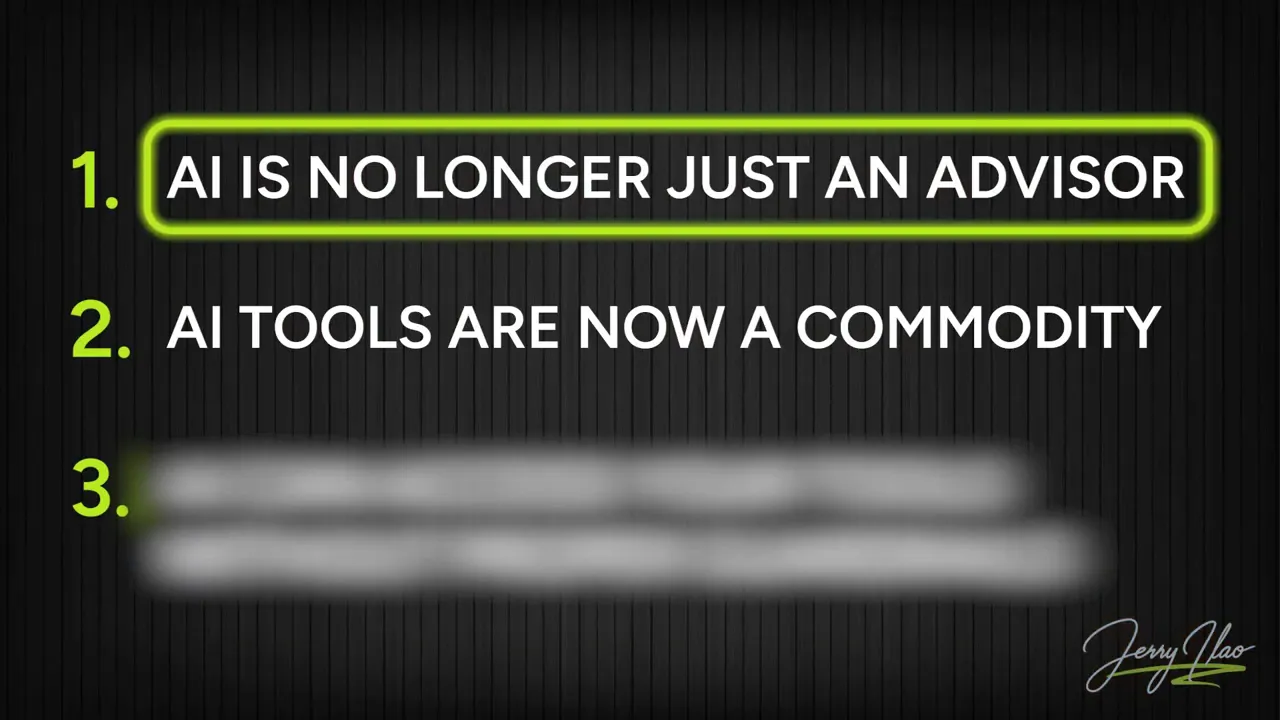
1) AI is moving from advisor to operator
Previously, the workflow was typically: you ask AI, AI answers, and you do the work. That approach makes AI feel like a consultant with strong writing and analysis capabilities, but one that remains passive.
With integration, the workflow can become: you instruct AI to act, and AI executes parts of the workflow using your connected systems. It can open your inbox, access data, draft work products, and return completed drafts ready for your approval.
As AI operators become embedded in enterprise applications, the change accelerates. The key operational reality is that the tools your business already uses are likely to gain built-in AI agents, meaning you will not only be choosing “whether to use AI,” but also “how much work AI can perform automatically.”
2) The AI tool is becoming a commodity, but your connections are the edge
Many organizations assume their advantage will come from picking a “better AI model” or “better chat.” But as AI becomes widely available, the model itself becomes less differentiating. Competitors can subscribe to similar plans and get similar baseline capabilities.
The differentiation increasingly comes from what AI is connected to:
- Your client database and client history.
- Your pricing history and internal rules.
- Your internal processes and operational context.
Two companies may use similar AI models, but the company that integrates AI into its CRM, spreadsheets, and email workflows can produce outputs that reflect actual business facts. That is a different tool in practice, even if the underlying AI is similar.
This is why integration standards matter. A universal connection approach helps AI tools “plug in” to systems reliably, comparable to how a common cable standard reduces the chaos of device-specific chargers.
AI integration risk: it’s not that AI can access your tools. It’s that it can access them unsafely.
The biggest risk is not simply enabling access. It is enabling access without guardrails.
When AI is limited to chat, the worst outcome is usually a bad answer. You read it, notice the mistake, and correct it. The system is constrained by human review.
When AI is connected to action systems, the consequences can be broader. If AI can send emails, modify spreadsheets, or access client data, then errors become operational and potentially sensitive.
Potential failure modes include:
- AI is sending the wrong email, including confidential pricing intended for someone else.
- AI is overriding spreadsheet data with incorrect values.
- AI accessing employee records or internal information it should not be allowed to see.
Security gaps also matter. Research discussed in the original guidance points to AI-to-business connections lacking authentication, meaning some internal tools could be exposed without adequate protection. For businesses, that is not only a technical issue but also a compliance and data privacy concern.
For organizations operating under the Philippines’ Data Privacy Act, automated access and processing of personal data can carry legal implications. Even if you are outside the Philippines, the principle remains: if AI is touching personal data through automated connections, you must understand what it can access and what it cannot.
Important: This is not legal advice. The operational takeaway is to treat AI access the way you would treat physical or system access in an office. You would not hand a new employee the master key on day one, and you should not grant AI unconstrained permissions from the start.
How to control AI access: decide keys, lock doors, and assign ownership
Integration succeeds when permissions are intentional. The simplest model is:
- Start small: connect one tool at a time.
- Define boundaries: specify what AI can read, what AI can write, and what it absolutely cannot touch.
- Assign accountability: designate someone responsible for the decision-making and ongoing review.
Instead of asking, “Can we connect everything?” ask, “Which connections make sense now, and what controls do we need before we expand permissions?”
This mindset also helps you avoid an organizational blind spot: teams may already be using AI in ways that are not governed. One risk highlighted is that many users bring their own AI tools at work, which means AI is being used without consistent rules.
Your self-check this week: map AI tools to data access
Here is a practical action step you can apply immediately. Make a list of every AI tool your team uses, then document what each tool can access.
Recommended format:
- AI tool name
- Who set it up (if known)
- What business data can it access (email, CRM, documents, spreadsheets, calendar, HR systems)
- What it can write or change (draft responses, send emails, update records, modify spreadsheets)
- What it must not touch (confidential pricing, employee records, sensitive client data)
If you cannot fill in every line, those gaps are your blind spots. Mapping access clarifies what needs attention first: tools with unclear permissions, tools with broad write access, or connections created without authentication and monitoring.

Turning integration into value: focus on controlled automation
AI integration can improve speed and consistency in workflows like customer support drafting, sales reporting, and scheduling. But the value comes from controlled automation, not uncontrolled access.
Consider these principles when rolling out AI operator capabilities:
- Use AI where facts come from the systems of record. If AI can pull data from your CRM or spreadsheets, reduce hallucinations and outdated context.
- Keep high-impact actions behind approvals at first. Even if AI drafts an email or proposes updates, you can require human confirmation until confidence and controls are established.
- Keep permissions narrow until you understand behavior. Start with read access, then selectively expand to write actions after testing.
As AI becomes a standard component in enterprise software, your competitive advantage will not be “having AI.” It will be “having AI that is correctly connected, correctly governed, and correctly trusted.”
FAQs:
What does it mean when AI is “working blind”?
AI is “working blind” when it lacks direct access to the business context it needs, such as client records, sales data, documents, or the calendar. Even if you paste or upload some information, that setup is often manual and incomplete compared to having AI pull current data from the systems it supports.
How is an AI operator different from a chatbot?
A chatbot typically responds to prompts with text. An AI operator can take actions inside connected systems, such as checking inboxes, retrieving data from spreadsheets, drafting responses, and potentially performing workflow steps using your business tools.
Is the biggest risk just giving AI access to tools?
No. The larger risk is giving AI access without guardrails. When AI can modify data or send messages, mistakes and permission issues can cause security, privacy, and business impact that is much harder to contain than a wrong chatbot answer.
What is the fastest way to improve AI governance?
Create a list of every AI tool your team uses and document what company data each tool can access and what it can write or change. Any blanks represent blind spots that should be addressed before expanding integrations.
Key takeaway
AI integration is not about connecting every tool and hoping for the best. It is about deciding which keys to give AI, which doors to keep locked, and how to manage access so automation improves operations without exposing confidential data or causing avoidable mistakes.